
A simple way to keep personal and work Claude Code sessions separate.
If you use Claude Code for both personal and work accounts, logging in and out gets old fast. The cleaner setup is to give each account its own config directory. Claude stores local auth and session state there, so separate directories act like separate profiles. The result is simple:
claudecan stay on your default accountclaude-workcan open your work account- no repeated sign-in/sign-out cycle
How it worksh2
Claude Code can be launched with a custom CLAUDE_CONFIG_DIR.
Example:
CLAUDE_CONFIG_DIR="$HOME/.claude-work" claudeWhen you do that, Claude uses ~/.claude-work instead of the default config directory. That means auth, session history, and local state stay isolated from your main account.
Fish setuph2
If you use fish, add this to ~/.config/fish/config.fish:
function claude-work env CLAUDE_CONFIG_DIR="$HOME/.claude-work" claude $argvendReload your shell:
source ~/.config/fish/config.fishZsh setuph2
If you use zsh, add this to ~/.zshrc:
alias claude-work='CLAUDE_CONFIG_DIR="$HOME/.claude-work" claude'Reload your shell:
source ~/.zshrcCreate the separate profile directoryh2
Run this once:
mkdir -p ~/.claude-workThen start the isolated profile with:
claude-workThe first time it opens, log into your work account inside that profile.
What your final workflow looks likeh2
Once setup is done:
claudeuses your default profileclaude-workuses your work profile
That gives you clean switching between accounts without cross-contaminating local state.
Scaling to more than two accountsh2
This pattern works for any number of accounts or clients. Examples:
CLAUDE_CONFIG_DIR="$HOME/.claude-client-a" claude
CLAUDE_CONFIG_DIR="$HOME/.claude-client-b" claude
CLAUDE_CONFIG_DIR="$HOME/.claude-lab" claude
You can wrap each one in a shell alias or function:
claude-workclaude-acmeclaude-prod
One useful safety checkh2
After launching a profile, run /status inside Claude to confirm which account and session you are using.
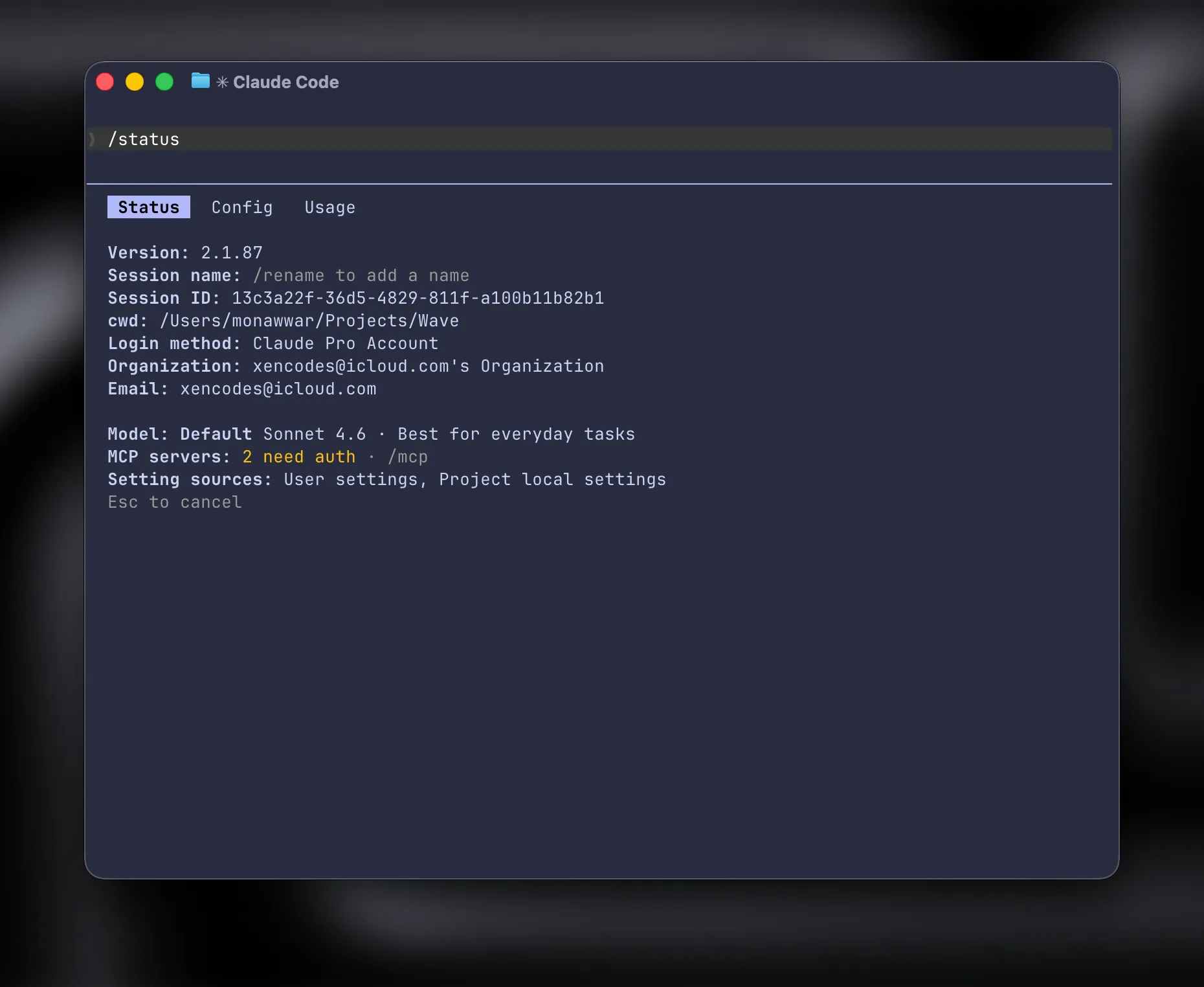
That is the easiest way to avoid doing work in the wrong account.
Why this setup is worth ith2
- no repeated login/logout flow
- separate local state per account
- cleaner personal vs work separation
- easy to remember and easy to extend
If you manage multiple Claude Code identities on one laptop, this is the simplest setup that stays practical.